
Runnock
See what your coding agents are doing, approve their tool calls and answer their questions, see what they changed, and keep an eye on dev servers, builds, deployments and usage limits. It shows up when something changes, and stays out of the way when nothing does.
Runnock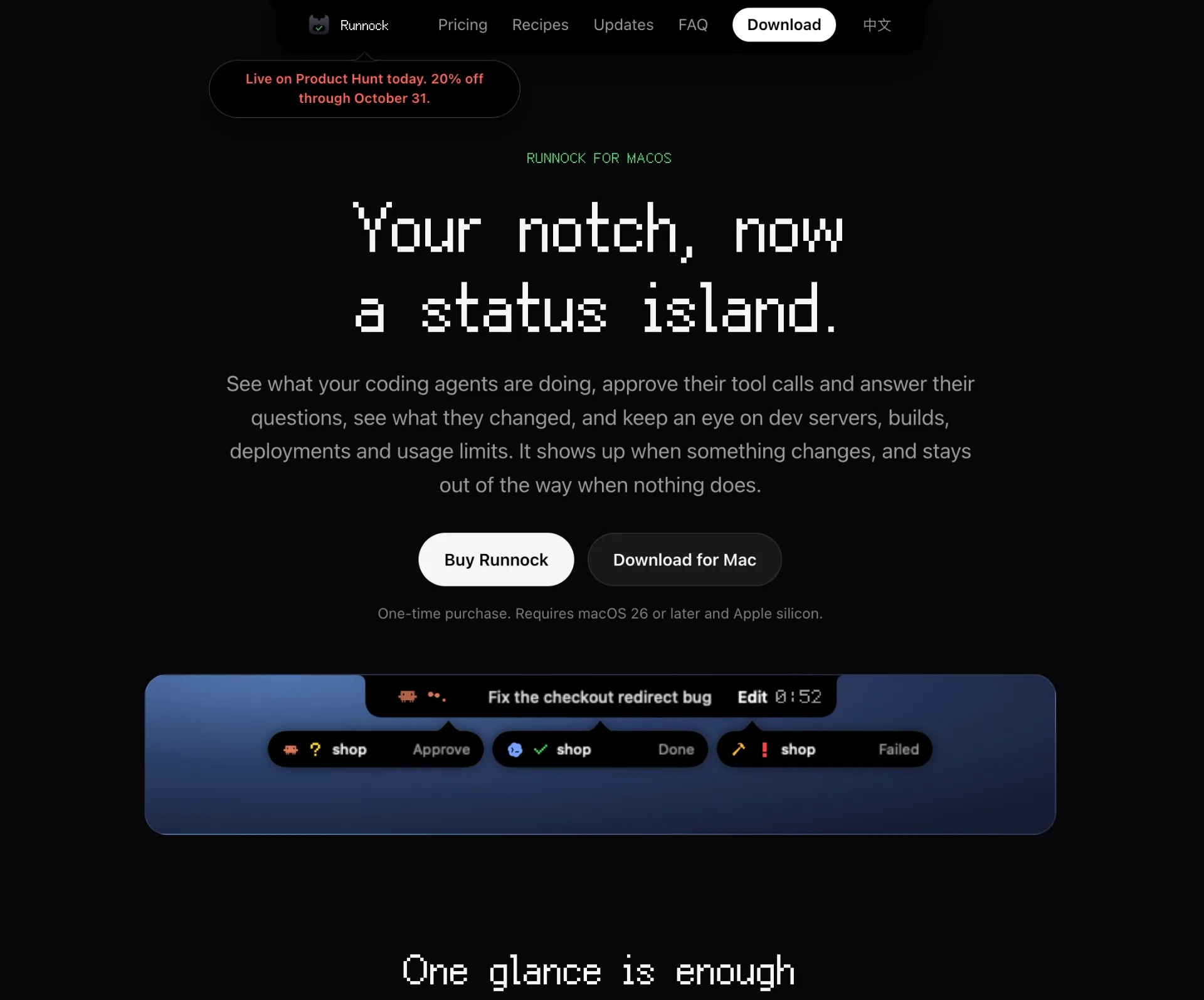
What is Runnock
Runnock is a macOS app that turns your Mac’s notch into a live status island for coding agents, dev servers, builds, tests, deployments, and usage limits. It listens to tools like Claude Code, Codex, Grok Build, Copilot CLI and your own scripts, then surfaces everything they are doing as small, focused signals so you can see what is happening without leaving your editor.
How to use Runnock
- Download and install Runnock on your Apple silicon Mac running macOS 26 or later, then launch the app.
- On first launch, let Runnock scan for supported coding agents on your machine (such as Claude Code, Codex, Grok Build, Command Code, Devin, Qwen Code, GitHub Copilot CLI, pi, Kimi Code) and connect them with one click.
- Configure what Runnock should watch in Settings: enable or disable sources (agents, dev servers, builds, deployments, limits, clipboard, your own scripts) and assign notification sounds for each alert type.
- Start working as usual in your editor or terminal. When a coding agent runs, a dev server starts, an Xcode build or zsh command is running, or a deployment kicks off, look to the Mac notch to see live status: working, needs your input, done, failed, or listening.
- When an AI coding agent asks for a tool-call approval or a multiple-choice answer, respond directly from the notch by choosing allow, always allow, deny, or send back to terminal, or by selecting/checking answers without leaving your editor.
- Watch for “drops” that fall out of the notch when tasks finish or fail. Click a drop to see details of a completed task, failed build, or waiting agent, exactly as it appears in the app.
- After each agent turn, review the “changes” bubble that shows how many files and lines were modified. Open it to inspect the file list, then open individual files to view diffs in their own windows, all without touching your Git branch, index, or stash.
- Use Runnock’s limits view to monitor Codex, Claude Code and Grok usage: see alerts at 50%, 80% and 95%, when a quota runs out, when it recovers, and when the tools are usable again.
- (Optional) Enable Clipboard integration so that whenever you copy a stack trace, JSON, or a color, the notch suggests next steps such as cleaning the trace, pretty-printing JSON, or showing a color swatch, without ever storing the clipboard history.
- (Optional) Integrate your own scripts with
runnock alertor therunnock://alertURL scheme from Shortcuts to push custom statuses (tests, deployments, backups, long-running jobs) into the status island over a local socket. - When you change machines or reach your license limit, deactivate a device in Settings so your key is freed for another Mac, while continuing to keep all events local and private.
Runnock's use case
- Monitoring AI coding agents: Track what Claude Code, Codex, Grok Build and others are doing at a glance, see when they need your approval or answers, and keep tool calls visible and auditable.
- Tracking dev servers: Watch local dev servers and Docker containers, see which ports are listening, and quickly open or kill them from a small, always-available UI.
- Overseeing builds and tests: Follow Xcode builds, test suites and long-running zsh commands, with instant feedback on failures, error counts, or failing lines without digging through terminal history.
- Watching deployments and CI jobs: Keep an eye on Vercel, Cloudflare Pages and Netlify deployments from start to failure, and surface results as clear notch alerts.
- Controlling usage limits: Stay ahead of Codex, Claude Code and Grok limits by getting proactive alerts at key thresholds and when usage becomes available again.
- Reviewing agent changes: Inspect the exact file and line changes made by agents after each turn, with Git-safe comparisons that never touch your branch, index or stash.
- Cleaning debug data: Quickly tidy stack traces, JSON payloads or colors copied to the clipboard into more readable forms, while keeping secrets masked and never stored.
- Integrating custom workflows: Use
runnock alertor Shortcuts to push status from your own test scripts, deployment pipelines, backup jobs, or system checks into the status island.
Benefits of Runnock
- Keeps you in flow: By turning the Mac notch into a subtle status island, Runnock lets you watch agents, servers, builds and deployments without constantly tabbing between apps, terminals and dashboards.
- Centralizes developer signals: All important events from coding agents, dev tools and custom scripts appear in a single, consistent UI, making it easier to know what is happening on your machine at any moment.
- Safer AI automation: Approval prompts, multiple-choice questions and clear change summaries give you more control and visibility over what coding agents do to your repositories.
- Proactive limit awareness: Early and precise alerts for usage thresholds help you avoid hitting hard limits mid-session and give you clarity about when tools are usable again.
- Git- and privacy-friendly: File diffs are built from your working tree only, without touching Git state, and events stay on your Mac with no analytics, making it suitable for sensitive or proprietary codebases.
- Flexible integration: Native support for many popular coding agents plus the simple
runnock alertCLI and URL scheme makes it easy to plug Runnock into existing scripts, CI steps and automations. - Lightweight, always-ready UI: The drop-style alerts and island visualization deliver immediate status without heavy overlays, videos or complex dashboards, working equally well on notched and non-notched Macs.
- Fine-grained control: Per-source switches and per-alert sounds let you decide exactly what Runnock watches and how noisy it is, aligning the tool with your preferred level of notification.
Pros
- Focused developer status hub in the Mac notch that reduces context switching.
- Deep integration with popular coding agents plus simple hooks for custom scripts.
- Git-safe change tracking that shows agent diffs without touching branches or index.
- Strong privacy stance: events stay on-device, with no analytics and optional clipboard processing.
- One-time purchase model with support for multiple devices depending on the license.
Cons
- macOS-only and requires Apple silicon on macOS 26 or later, excluding Intel Macs and other platforms.
- No free trial; the app stays locked until a license is activated.
- Highly specialized for developers using coding agents and dev tooling, offering limited value for non-technical users.
- Depends on third-party agent integrations and their reported events, so insight quality can vary by tool.
- Visual status is tied to the notch UI, which may not suit users who prefer traditional notification systems.
—
submito.net · DRDomain Rating by Ahrefs
让更多人发现你的产品。
提交到 Submito