

Ausar AI
Ausar is an all‑in‑one AI content studio that turns text prompts into cinematic video, images, motion‑controlled clips and audio, helping creators, agencies and brands produce viral‑ready content fast.
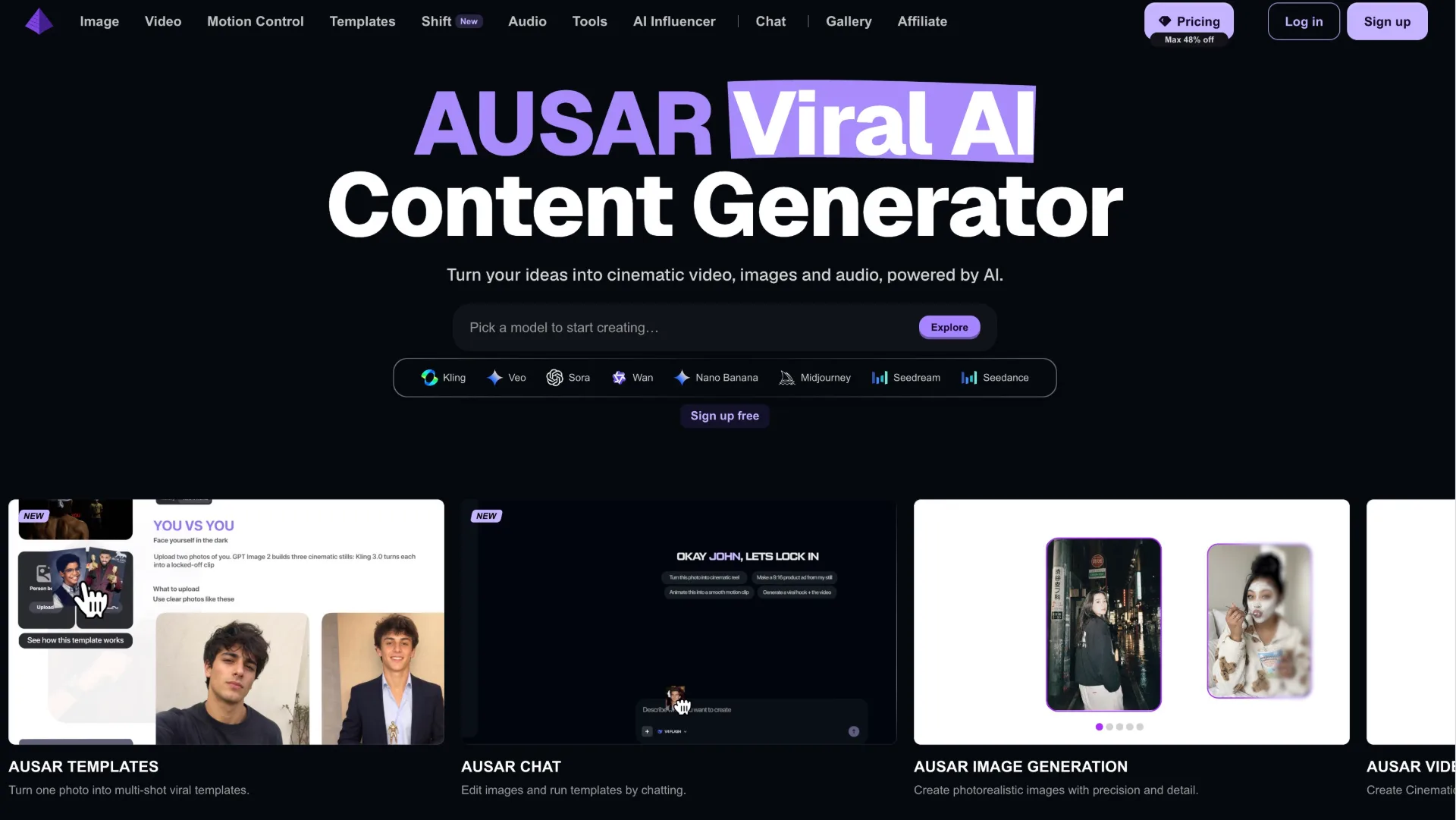
What is Ausar
Ausar is an AI content studio that brings video, image, motion control and audio creation into a single platform. Instead of jumping between multiple apps and subscriptions, you write a prompt, choose a model, and generate cinematic clips, product shots, portraits, AI influencers, voiceovers and more from one dashboard. It connects leading models like Kling, Veo, Sora, Nano Banana and GPT Image with templates and tools designed for social creators and agencies.
How to use Ausar
-
Sign up and log in
Visit the Ausar website, click “Sign up” and create an account. Once your email is confirmed, log in to access the main studio. You can start with the free signup and upgrade to a paid plan later if you need more credits and features. -
Pick the right studio for your goal
On the homepage, choose the creation path that fits your project:- “AUSAR Image Generation” for photorealistic images.
- “AUSAR Video Generation” for cinematic videos from text or image prompts.
- “AUSAR Motion Control” to transfer motion from a reference clip to your character.
- “AUSAR Audio Generation” for speech and voiceovers.
- “AUSAR AI Influencer” to build a recurring AI character.
- “AUSAR Templates” to turn one photo into multi‑shot, viral‑style sequences.
-
Select a model or template
In the chosen studio, pick a model from the Explore list (Kling, Veo, Sora, Nano Banana, GPT Image, Seedance, etc.) or open a ready‑made template. Templates come with preconfigured camera moves, shot counts and aspect ratios, so you only need to plug in your subject or upload a reference photo. -
Write your prompt and adjust settings
Describe what you want in natural language: subject, style, camera angle, mood, setting and motion. Then set key parameters such as:- Duration and aspect ratio for video.
- Resolution and style intensity for images.
- Voice type, pacing and language for audio. You can use the Explore picker examples as a starting point and refine your prompt based on results.
-
Add references or motion control (optional)
For more control, upload:- A reference image to lock in character, outfit or composition.
- A motion reference video to drive your character’s movement via Motion Control.
- Existing clips or images if you want to enhance, extend, or match a current project.
-
Generate and review
Click the generate button and wait while Ausar uses your credits to process the request. Your output appears in the studio, where you can preview video or audio, zoom into images and compare different generations side by side. -
Refine with tools and re‑runs
If you want tweaks:- Rerun with modified prompts.
- Switch to another model for a different aesthetic.
- Use tools like Background Remover, Image Enhancer, Expand Image, or Audio to Text to polish assets. Iterate until the content matches your brief.
-
Download and export
Once satisfied, download your media in the available formats (image, video or audio files) for posting on TikTok, Instagram, YouTube, ads managers or client presentations. Because Ausar supports commercial use, you can safely include outputs in professional deliverables according to its terms. -
Use chat and Discord for advanced workflows
Open “AUSAR Chat” to edit images and run templates conversationally. If you run into issues or need optimization tips, join the official Discord, verify your account, and open a thread in the help channel with your prompt, what happened and your browser or request ID.
Ausar's use case
-
Social media content creation
Ideal for TikTok, Instagram Reels, YouTube Shorts and other vertical‑video platforms, Ausar helps creators generate trends, dances, b‑roll and AI influencer clips with one or a few prompts, plus ready‑made viral templates. -
Product marketing and ecommerce visuals
Brands and stores can create cinematic product shots, lifestyle imagery, rotating hero banners and motion b‑roll for landing pages and ads without traditional photo or video shoots. -
Creator and agency campaigns
Creative teams use Ausar to concept, test and produce campaign assets quickly—mixing AI video, imagery and voiceover into cohesive narratives for clients, including multi‑shot story templates. -
AI influencer and character content
Ausar’s AI Influencer and Motion Control tools support virtual characters that appear consistently across multiple posts, dance trends and storylines, perfect for building a character‑driven channel. -
Music, podcast and voice projects
With AI speech, voiceovers and audio utilities like vocal and melody splitting or transcription, Ausar supports music visuals, lyric videos, explainer content and podcasts that need quick narration or clean stems. -
Content repurposing and enhancement
Existing images and clips can be upscaled, reframed, expanded beyond the frame, cleaned up or given new motion, allowing teams to repurpose old assets for new formats and platforms. -
Education, tutorials and explainer videos
Educators and knowledge creators can pair cinematic AI visuals with AI‑generated voiceovers and text overlays to build engaging course assets and bite‑sized explainer videos without a full production crew.
Benefits of Ausar
-
Unified AI studio for multiple media types
Ausar brings video, images, motion control and audio into one workspace, so you manage just one login, one credit balance and one interface instead of jumping between separate tools. -
Access to a wide range of leading models
The platform integrates models like Kling, Veo, Sora, Nano Banana, GPT Image and more, making it easier to compare styles and pick the best generator for each creative task without separate subscriptions. -
Creator‑first templates and workflows
AUSAR Templates and AI Influencer tools are built around popular social trends and multi‑shot structures, letting creators plug their own likeness or character into formats already proven to perform. -
Commercial‑ready outputs
Ausar supports commercial usage, letting freelancers, agencies and brands confidently deploy generated media in ads, client deliverables and social campaigns, subject to the platform’s terms. -
Flexible pricing and credit system
From Lite to Agency plans, users get monthly credits that roll over while the plan is active, plus discounts on credit top‑ups. This allows solo creators and teams to scale usage as their production volume grows. -
Advanced control with Motion Control and tools
Motion Control, background removal, image enhancement, outpainting and audio utilities give users granular control over the final look and feel, bridging the gap between fast AI generation and professional polish. -
Priority queues and pro‑grade chat models on higher tiers
Pro and Agency plans offer higher queue priority and access to more advanced chat models, which is valuable for creators and teams running high‑volume or time‑sensitive productions.
Pros
- Centralized platform for AI video, image, motion control and audio creation.
- Wide model support (Kling, Veo, Sora, Nano Banana, GPT Image and more) under one account.
- Creator‑friendly templates and AI influencer features tuned for viral social formats.
- Commercial usage allowed for typical client and brand work, subject to terms.
- Scalable credit‑based pricing with rollover and top‑up discounts for subscribers.
Cons
- Credit‑based system means heavy users may need higher‑tier plans or frequent top‑ups.
- Output quality and style can vary between models, requiring prompt iteration and testing.
- Advanced workflows like Motion Control and multi‑shot templates have a learning curve.
- Requires a stable internet connection and browser‑based workflow for generation.
- Integration into existing professional post‑production pipelines may need extra steps.
让更多人发现你的产品。
提交到 Submito发现更多产品
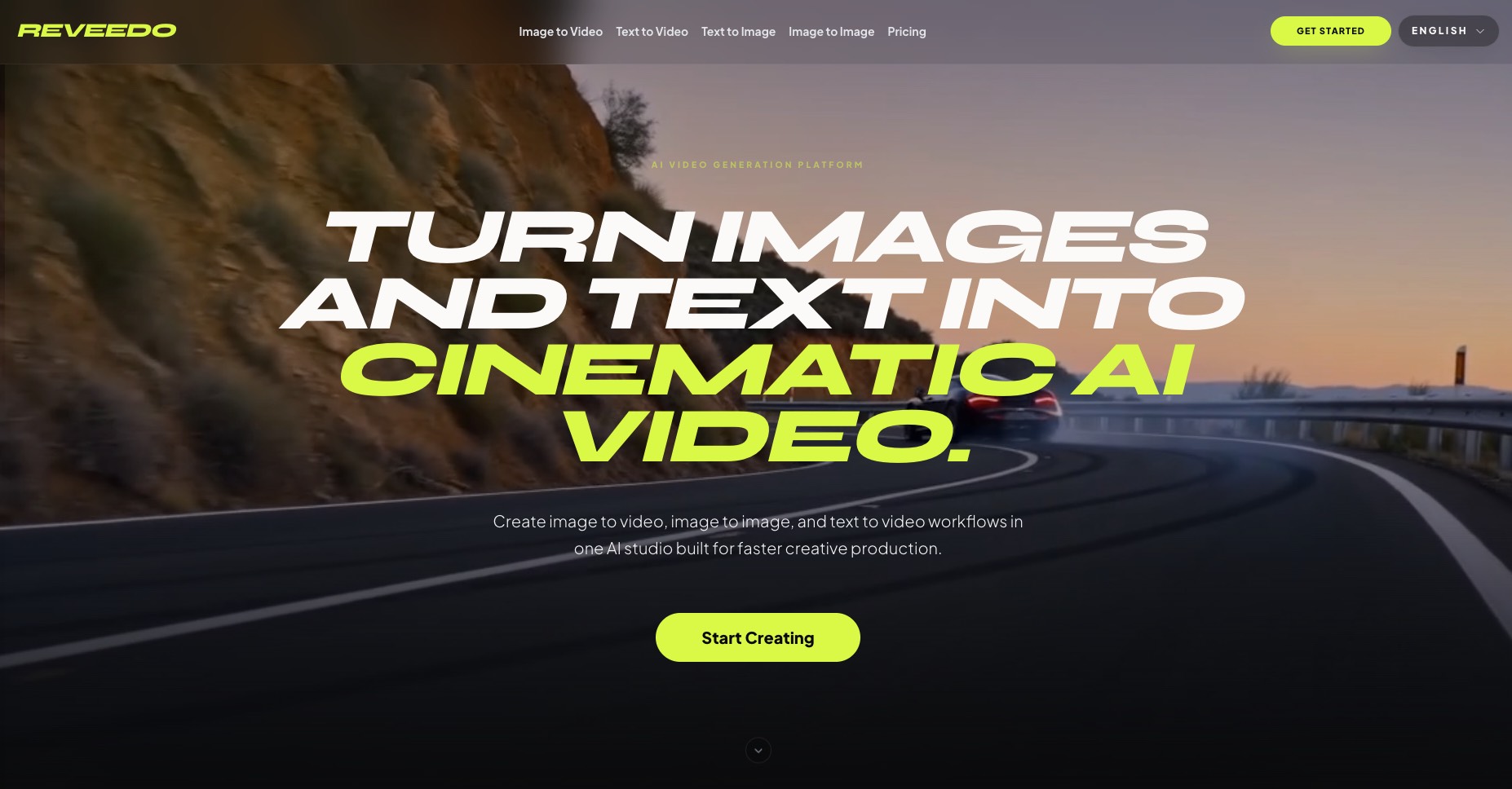
ReVeedo
ReVeedo is an AI video generation studio that turns images and text into cinematic motion with controllable pacing, style, and creative workflows for modern creators and teams.
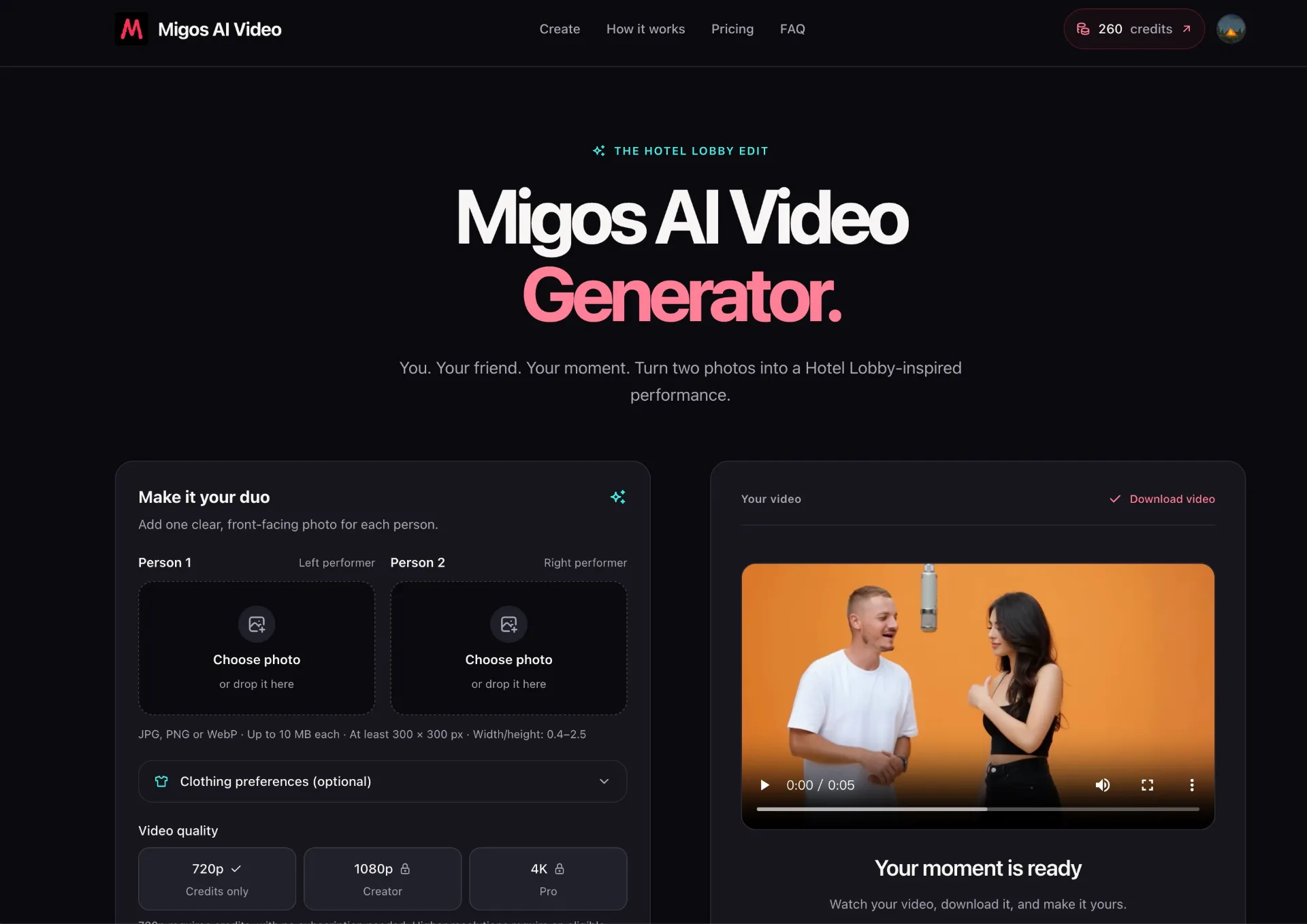
Migos AI Video Generator
Turn two photos into a cinematic, Hotel Lobby–inspired duo performance with Migos AI Video Generator—no editing skills or prompts required.
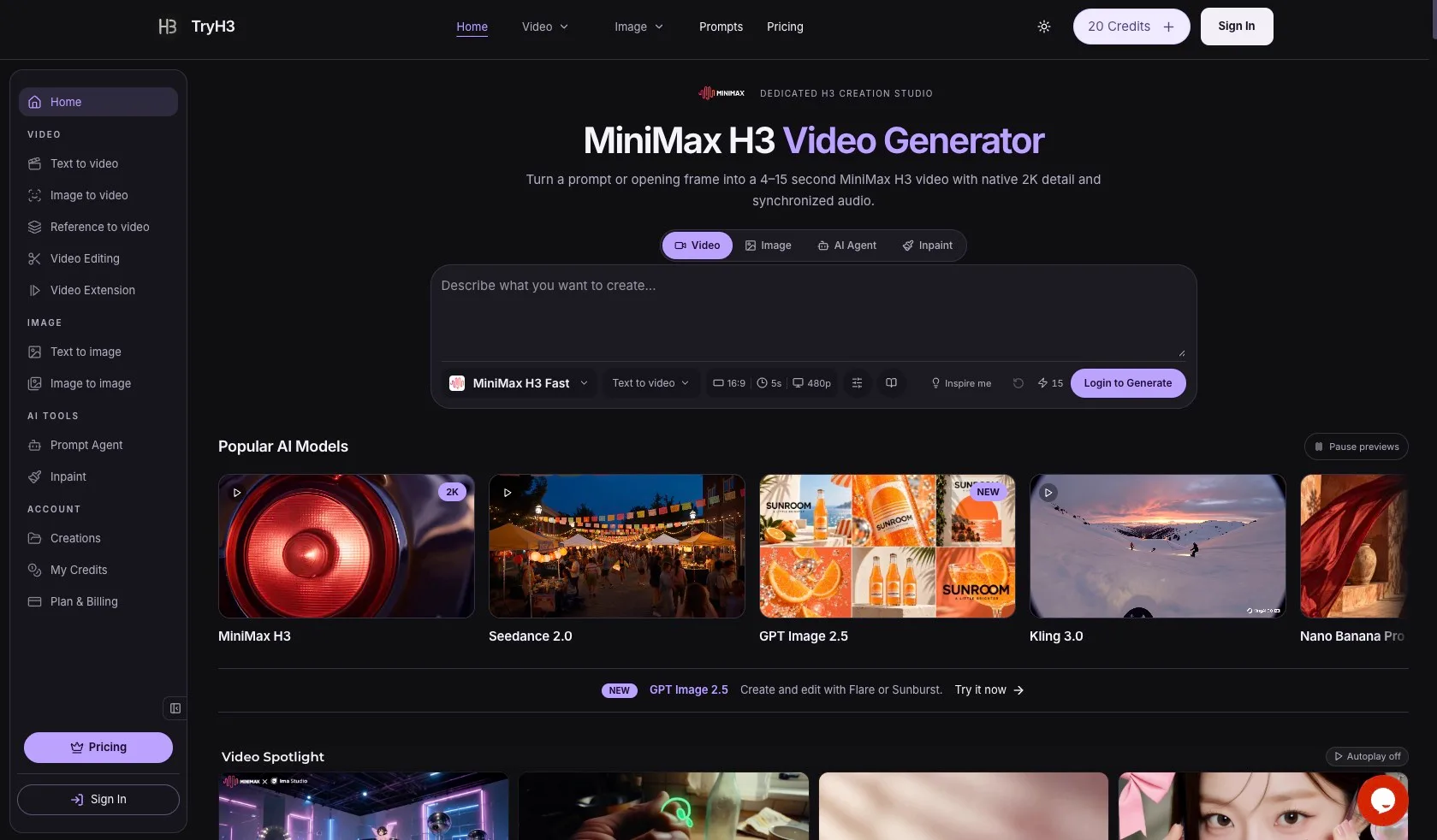
TryH3 — MiniMax H3 Video Generator
TryH3 is a free online AI video generator powered by MiniMax H3. Create native 2K, 4–15 second videos from text, images, first/last frames, and multimodal references with synchronized stereo audio.