

Mapsdata
Mapsdata turns Google Maps searches into verified local business leads with owner names, emails, phones, and socials, ready to export for fast, targeted outbound campaigns.
What Mapsdata Is
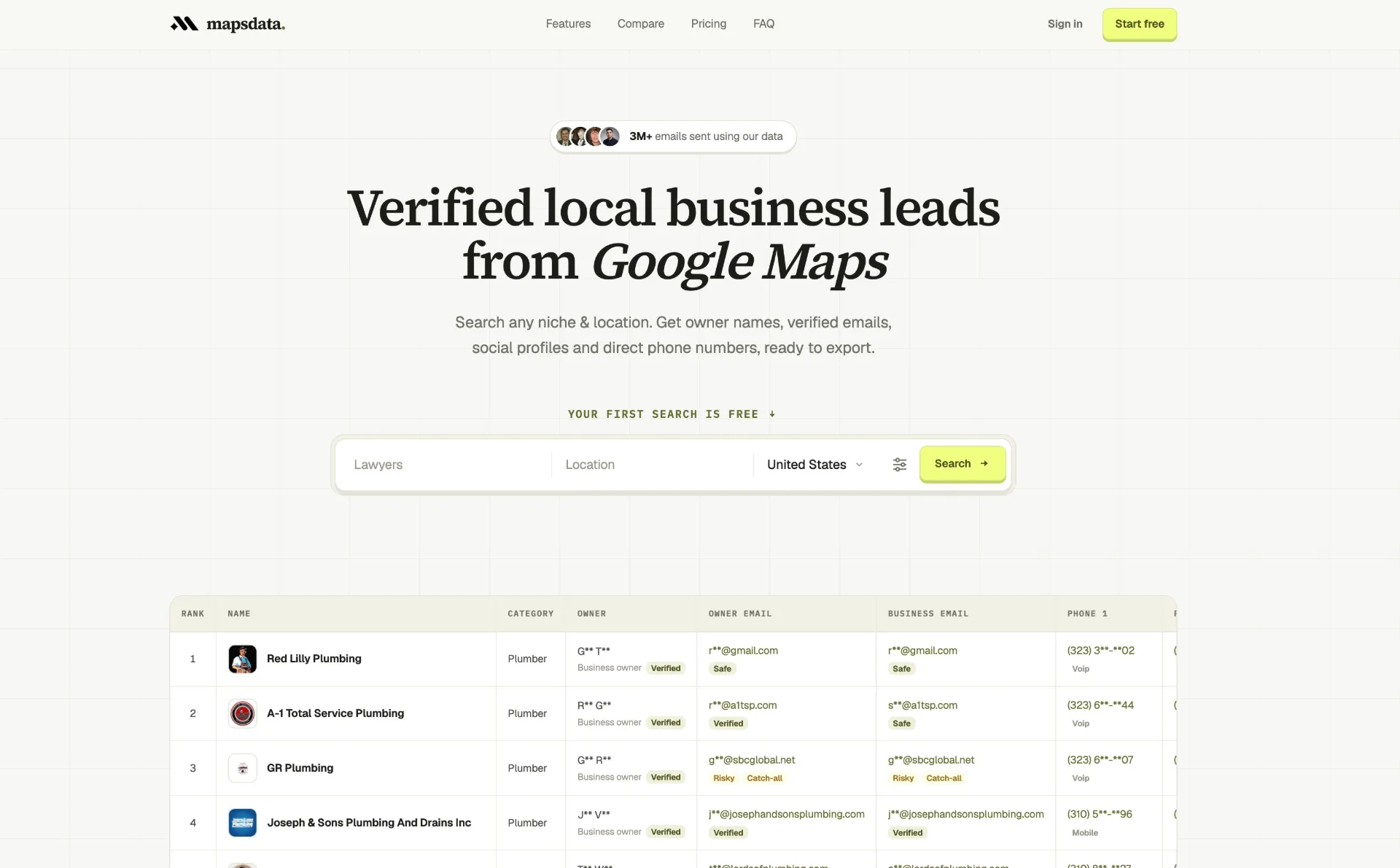
Mapsdata is a tool that helps you find local businesses and turn their Google Maps listings into real contacts. It pulls live info from Google Maps, then adds extra details like the owner’s name, verified email, direct phone number, and social profiles. It’s made for local businesses such as plumbers, roofers, lawyers, dentists, and other service businesses. Sales and marketing teams use it to reach the people who actually make decisions—not just a general inbox like info@.
How to Use Mapsdata
- Pick your type of business and location Enter the kind of local business you want to target, like plumbers, roofers, dentists, lawyers, HVAC, landscapers, or carpenters. Then choose a city, several cities, a state, or a whole country—like “Los Angeles, California” or “United States.”
- Run a Google Maps business search Use Mapsdata’s search tool to look up your chosen business type and area on Google Maps. It pulls live listings and shows things like rank, name, category, address, rating, number of reviews, whether the listing is claimed, website, and more.
- Let Mapsdata add owner and contact details After it gets the listings, Mapsdata runs each business through its enrichment process. It checks multiple trusted sources to find the owner or the right decision-maker. Then it looks for emails, phone numbers, and social profiles. It checks email deliverability in real time and labels phone numbers as mobile, landline, VoIP, toll-free, or other.
- Review names, emails, phones, and socials In the dashboard, you can see a table of leads. For each business, you can see the owner’s name, owner email, business email, status labels like Safe, Risky, or Catch-all, and phone numbers for both the owner and the business. It also shows social profiles from up to twelve networks, such as Facebook, Instagram, LinkedIn, Yelp, TikTok, WhatsApp, and others.
- Filter and quality-check your leads You can filter or sort results by rating, review count, whether they have a website, email verification status, or other signals. This helps you focus on the best leads before exporting and remove any that don’t fit your ideal customer.
- Export your leads as a CSV When you’re happy with your list, export the enriched leads as a CSV file right from the Mapsdata dashboard. Each business can include 50+ fields, so it’s easy to import into CRMs, email tools, and automation platforms like GoHighLevel (GHL), Instantly, or any platform that accepts CSV files.
- Connect Mapsdata to your workflow Plug your exported CSV into automation platforms like n8n or your existing outreach stack. Because the data is clean and consistent, you can build workflows without wasting time fixing formats. Many users set up automations that trigger outreach sequences, ad audiences, or research tasks from each new Mapsdata export.
- Launch and improve your outreach Use the verified owner emails and direct phone numbers to run targeted outreach. Mix email, phone, and social touches. Over time, refine your searches by niche, city, or data quality to keep improving response rates and closing performance.
What People Use Mapsdata For
- Local outreach for agencies Marketing, SEO, PPC, and lead-gen agencies that target owner-led local businesses can quickly build prospect lists for specific niches and cities. Instead of emailing generic addresses, they reach owners and decision-makers directly.
- Market research across cities or countries Teams that want a quick view of a market—like “plumbers in Los Angeles, Chicago, and Miami” or “dentists in Paris and Berlin”—can search across locations, export the data, and analyze market size, competition, and opportunities in a spreadsheet.
- Appointment setting and SDR work Sales development reps and appointment setters can focus on contacting verified owners using direct phones and emails. Mapsdata’s enrichment helps them skip reception desks and generic info inboxes, improving connection and booking rates.
- Testing campaigns and new offers in multiple locations Agencies and consultants launching new offers or angles can quickly build test lists across cities or industries. This helps them test new outreach ideas, webinar invites, or promotions without long research cycles.
- Automation-driven prospecting Teams using automation platforms like n8n can feed Mapsdata exports into automated pipelines. These workflows can handle data cleaning, CRM updates, personalized email creation, and multi-channel outreach—powered by reliable, pre-verified contact data.
Why Mapsdata Helps
- Owner-level contact data from Google Maps Mapsdata focuses on local businesses and goes beyond the public listing. It finds the actual owner or top decision-maker, along with their direct email and often their mobile number, so your outreach reaches people who can say yes.
- Live enrichment and verification for better deliverability All listing and contact data is enriched live when you search, not pulled from an outdated cached database. Emails are verified before export and labeled Safe, Risky, Catch-all, Disposable, or Invalid. This helps users keep bounce rates under about 2% on active campaigns.
- Full lead profiles with 50+ fields Each business can have dozens of data points, including Google Maps rank, category, hours, reviews, website, owner info, contact channels, and social profiles. This supports advanced filtering, personalization, and segmentation.
- Fast setup and easy exports Mapsdata is built for speed and ease. Users can go from signing up to running searches and exporting CSV files in minutes, with no complex setup or add-ons. Lists are ready to import into CRMs, outreach tools, and ad platforms.
- Better campaign efficiency and ROI By cutting out time-consuming manual research on websites and LinkedIn, and by improving contact accuracy, Mapsdata helps teams run outreach with fewer wasted sends and more real conversations. That efficiency leads to better ROI than cheap, low-quality lists or fully manual prospecting.
Pros
- Strong focus on local businesses with built-in Google Maps search and live enrichment
- High owner-name and email discovery rates, plus phone typing and social profiles in one pipeline
- Email verification included, which helps keep bounce rates low
- Clean CSV exports with 50+ fields, easy to import into CRMs and automation tools
- Very little setup time, so it’s good for fast-moving sales and marketing teams
Cons
- Monthly lead limits don’t roll over, which may not fit teams with up-and-down prospecting needs
- Coverage depends on what each business shares publicly, so some records may have fewer data points
- Owner phone numbers are available for fewer businesses than emails
- Best for local business niches, so it’s less ideal for complex enterprise account mapping
- Teams still need to manage compliance and outreach best practices when using enriched contact data
Help more people discover your product.
Submit to SubmitoMore to discover
DataHabibi
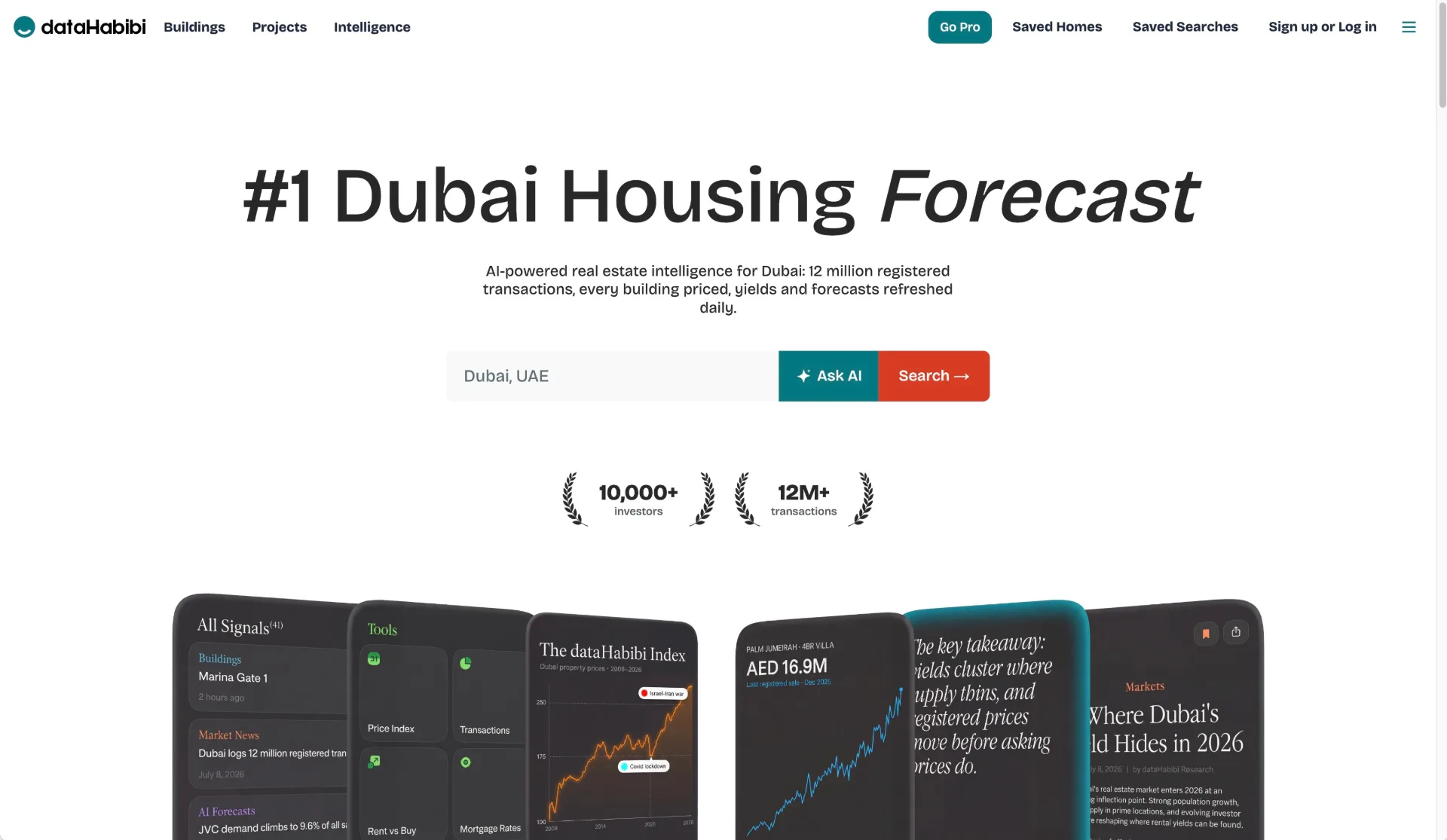
dataHabibi is Dubai’s AI-powered real estate analytics platform, offering property price forecasts, rental yields, ROI insights, and official DLD transaction data. Explore 5,500+ buildings, compare investments, and discover market trends with AI-powered insights.

CyberCheck Now
Discover CyberCheck Now, a trusted browser-based webcam and microphone testing tool with AI-powered diagnostics, FPS tracking, and privacy-first local processing for professionals worldwide.
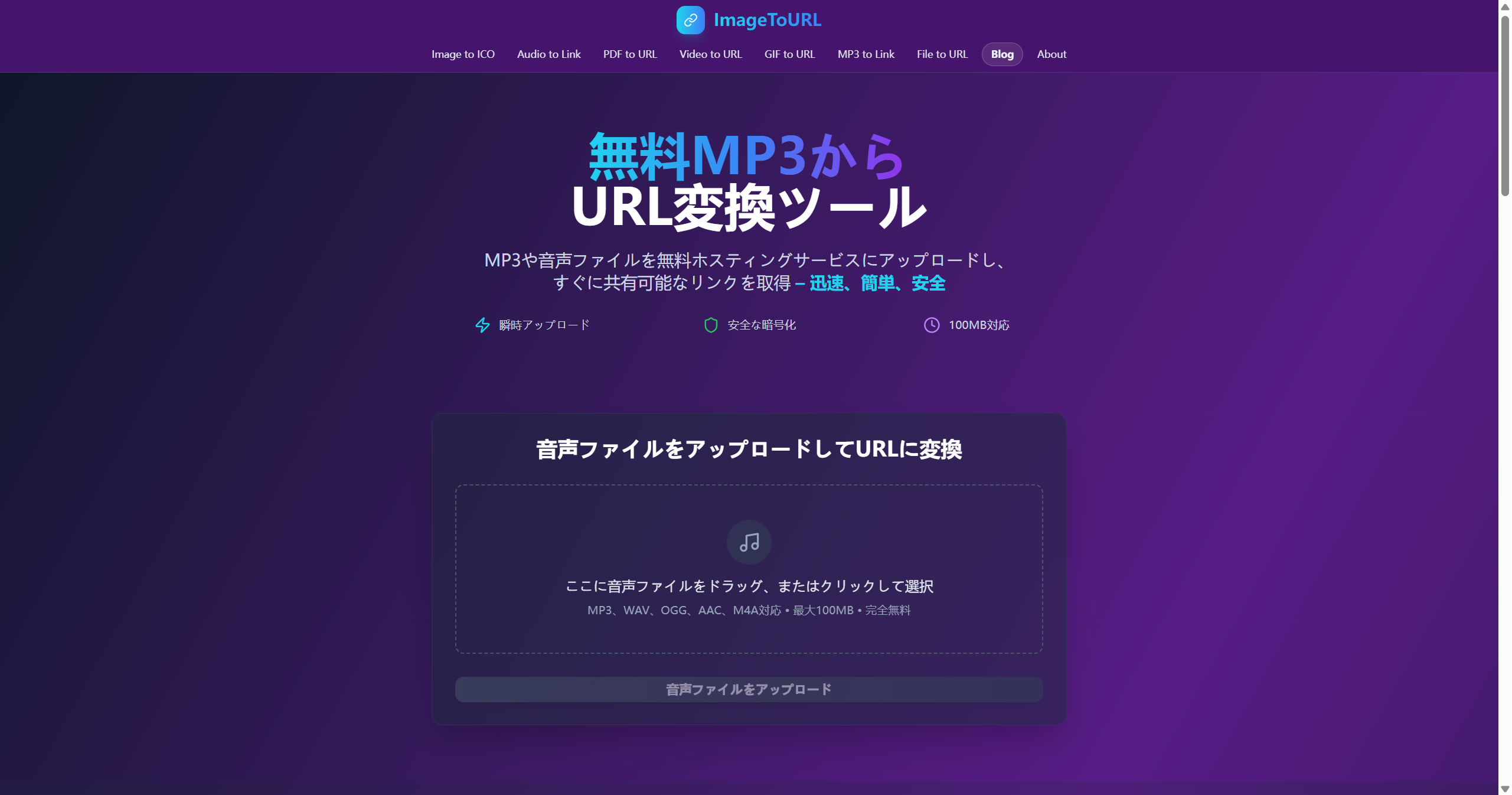
Image to URL
Image2URL streamlines your workflow by instantly converting your images into shareable web links or Base64 code, with no downloads or account registration required. Supporting major formats like PNG, JPG, and GIF, it delivers a fast, secure, and browser-based solution—ideal for developers, designers, and anyone needing quick image hosting. The platform offers a clean, drag-and-drop interface that makes generating URLs effortless. Integrate images into your code, share mockups with clients, or simply host a file in seconds. Fast, user-friendly, and privacy-focused, image to url is your essential tool for hassle-free image-to-link conversion.